Keep your Mac fast, clean and safe.
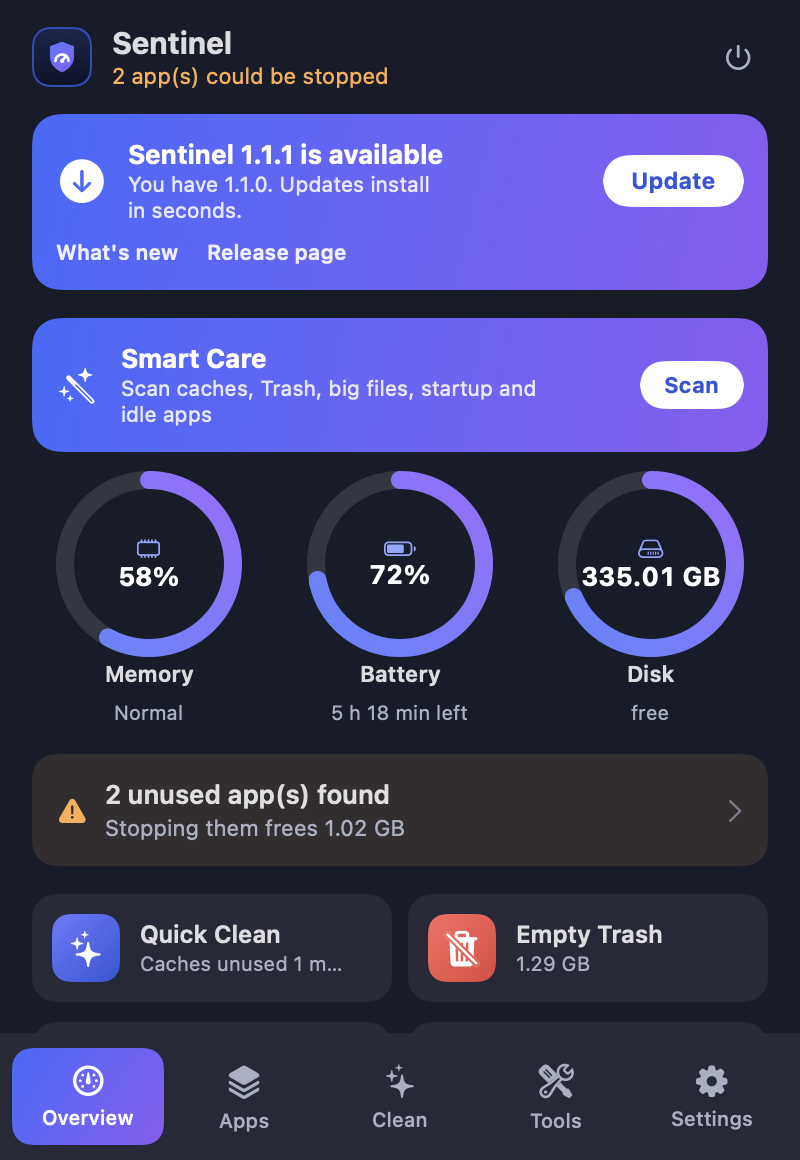
Sentinel lives in your menu bar. It finds apps you are not using, cleans old caches, removes apps with all their data, and warns you about hidden programs such as crypto miners. Free and open source.
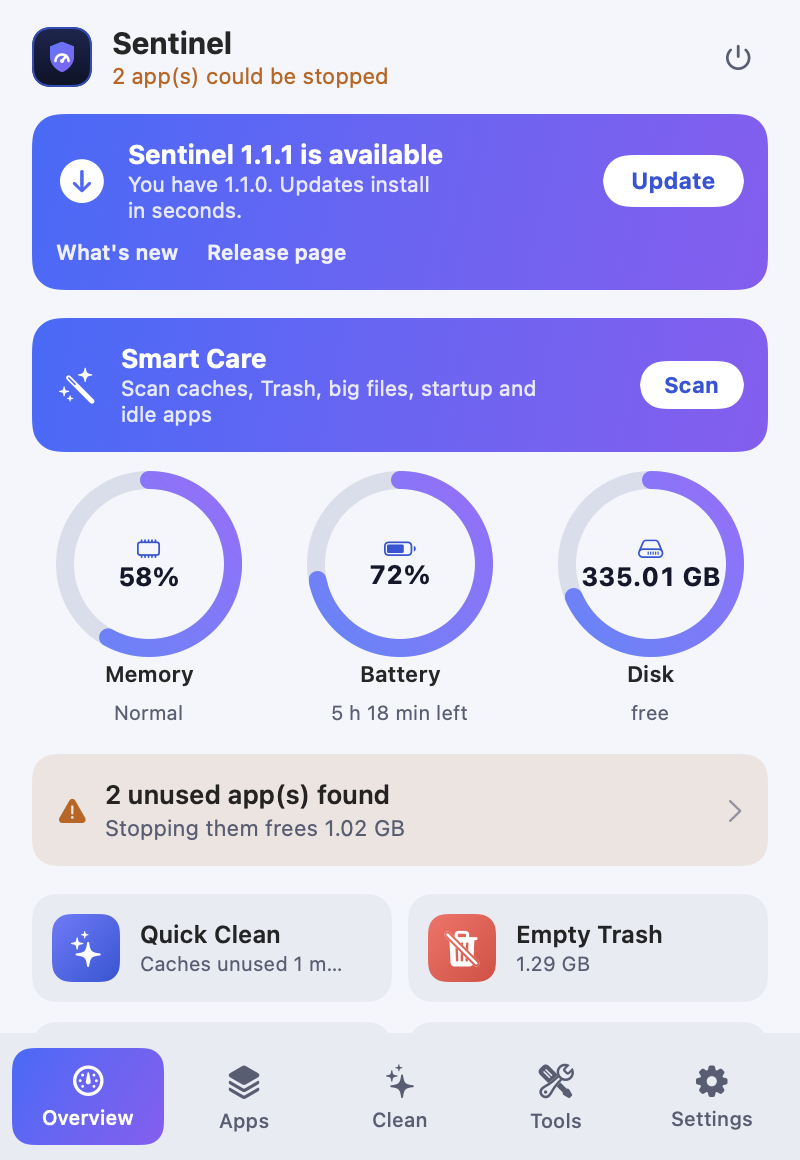
Everything in one small menu
Powerful tools, but nothing happens until you have seen the list and said yes. Everything goes to the Trash and can be restored.
Live monitor
Memory, battery and disk rings, plus the apps using the most memory.
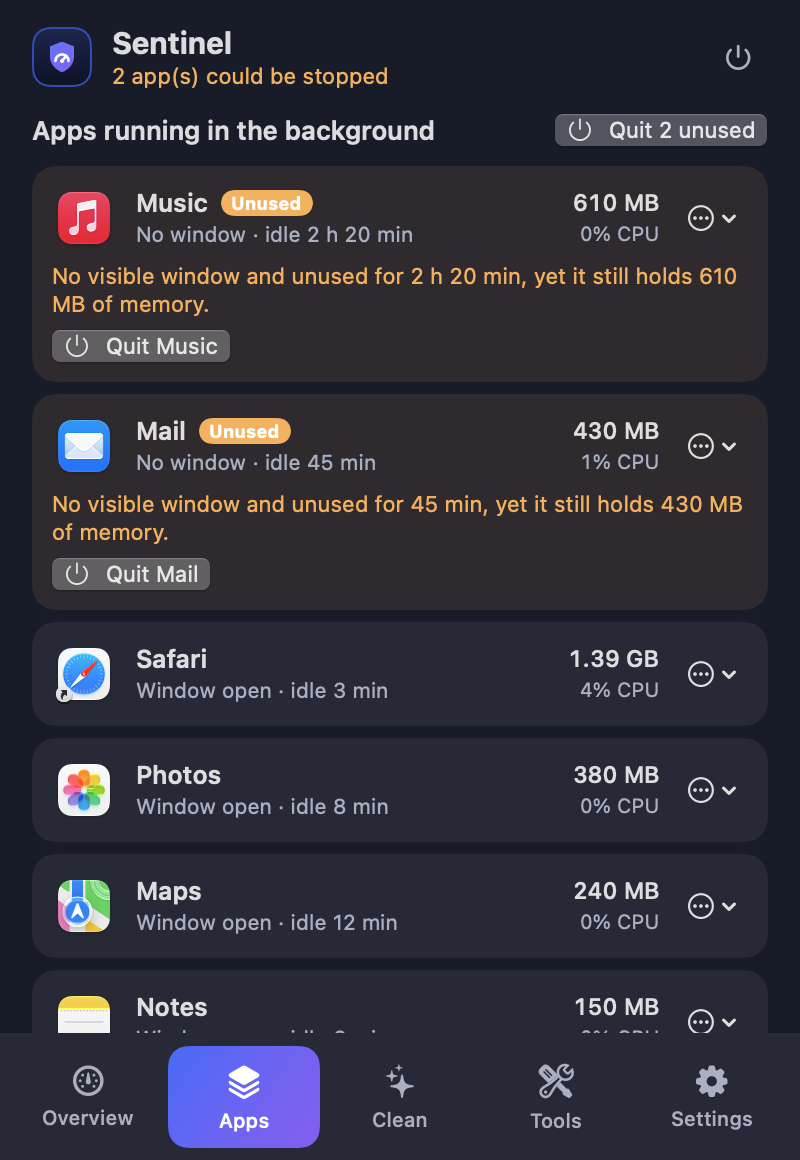
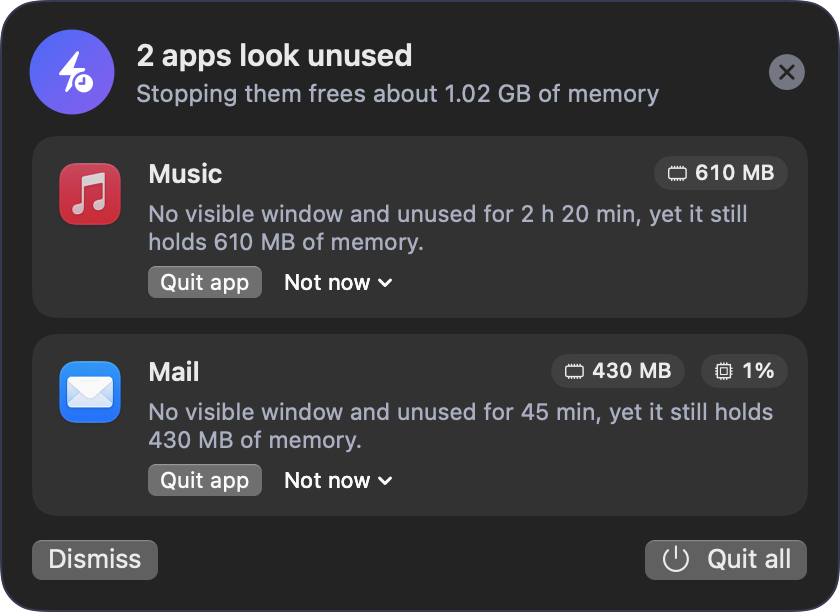
Idle app detection
A popup tells you which background apps are unused, why, and lets you quit them.
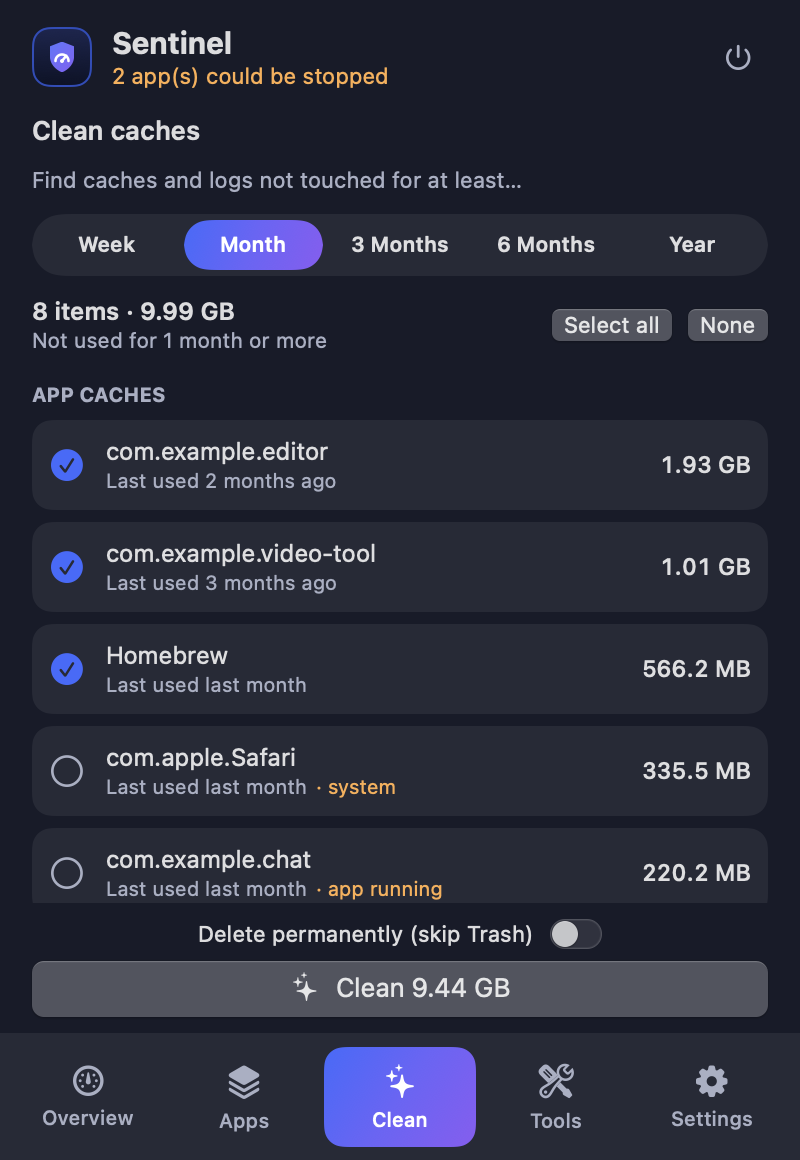
Cache cleaner
Find caches untouched for a week up to a year. Review the report, then clean.
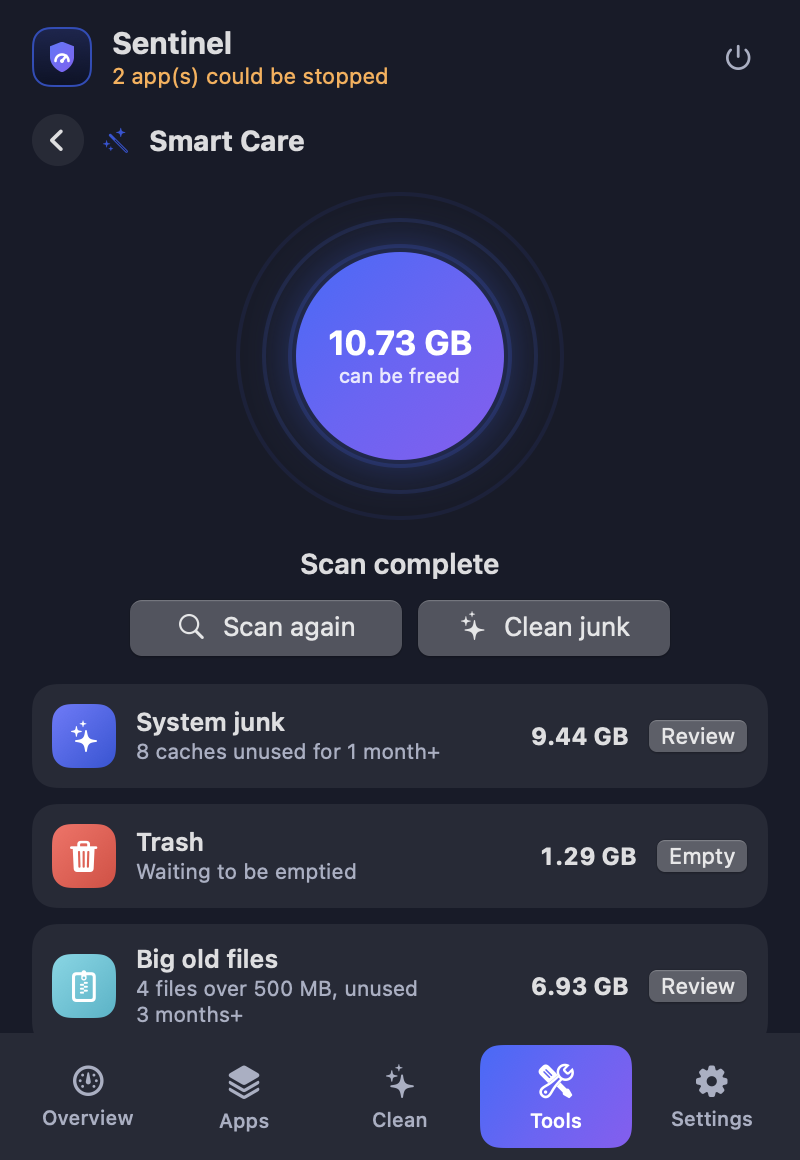
Smart Care
One scan for caches, Trash, big files, startup items and idle apps.
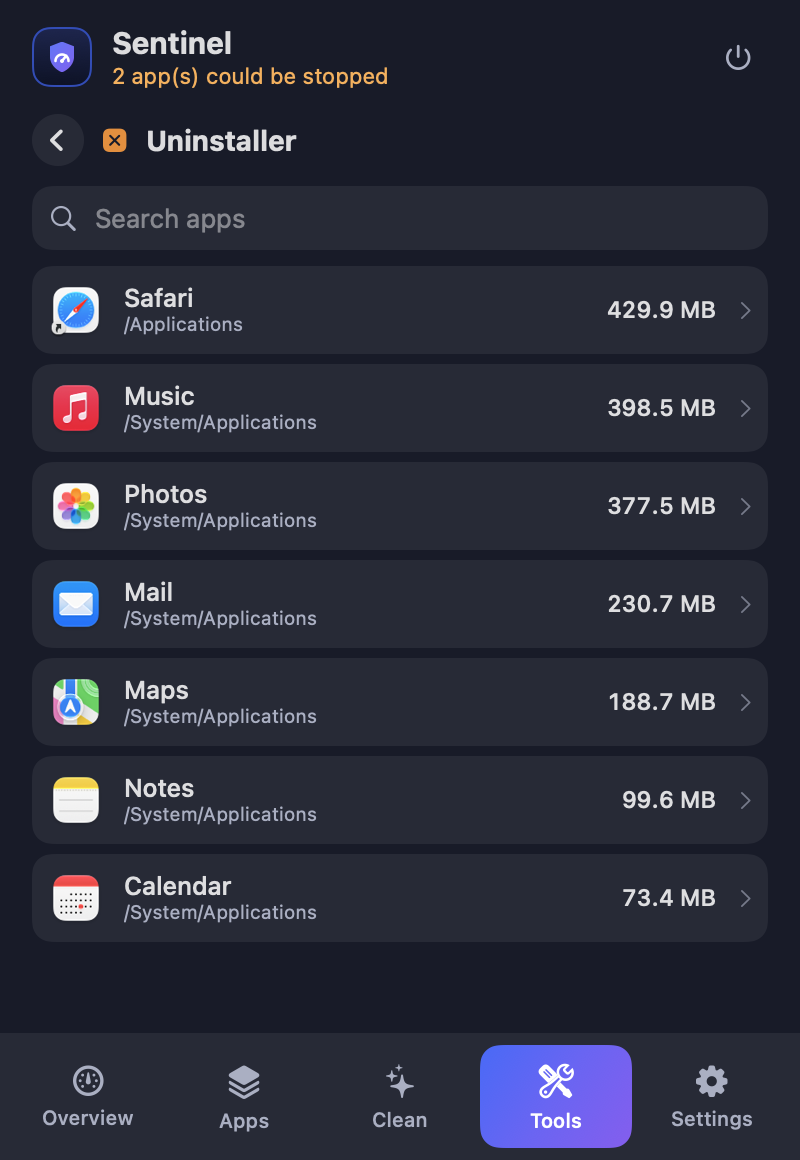
Uninstaller
Remove an app together with its caches, preferences and containers.
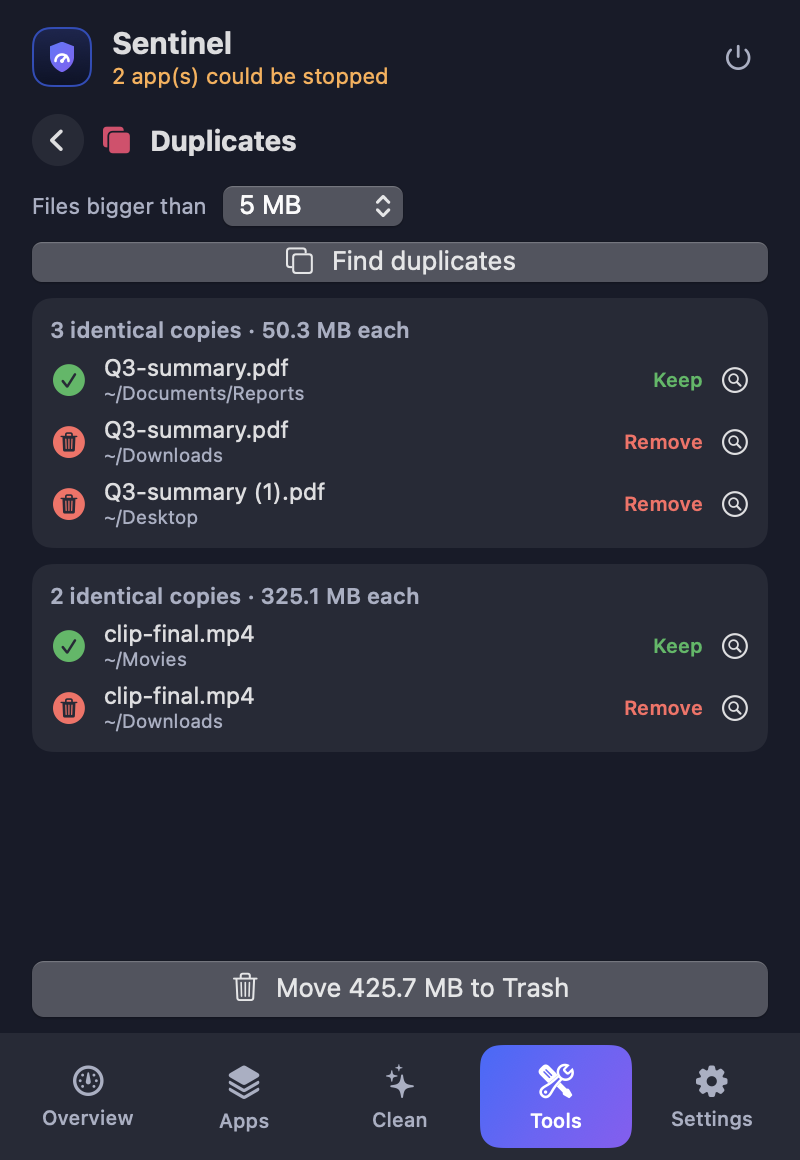
Duplicate finder
Compares real file contents, keeps one copy, trashes the rest.
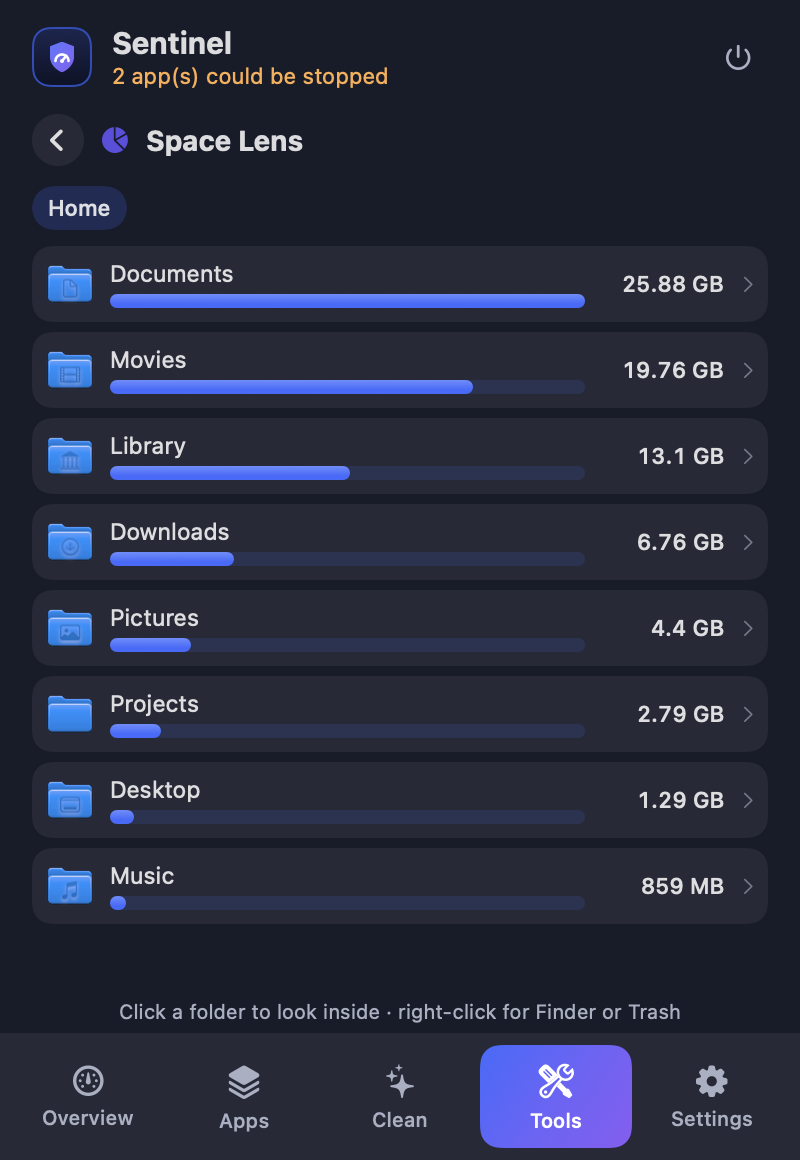
Space Lens & big files
See what fills your disk and find large files you forgot.
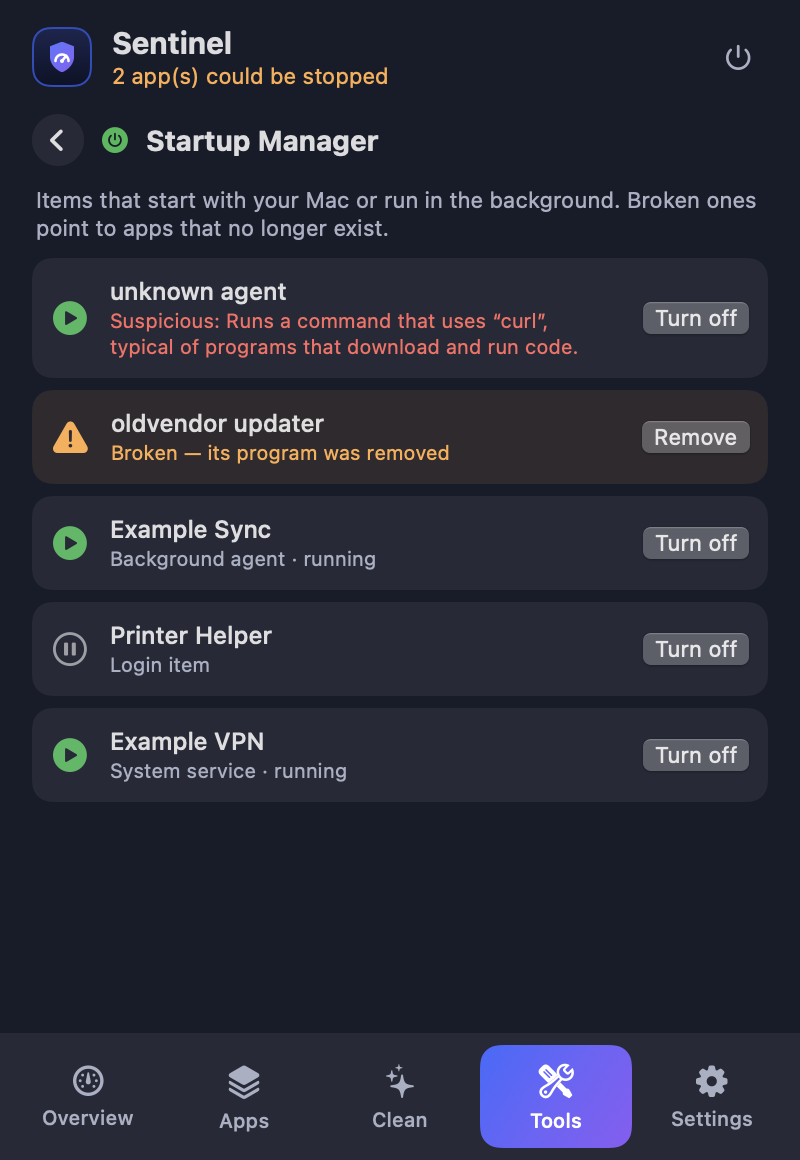
Startup Manager
Login items and helpers. Flags broken leftovers and suspicious ones.
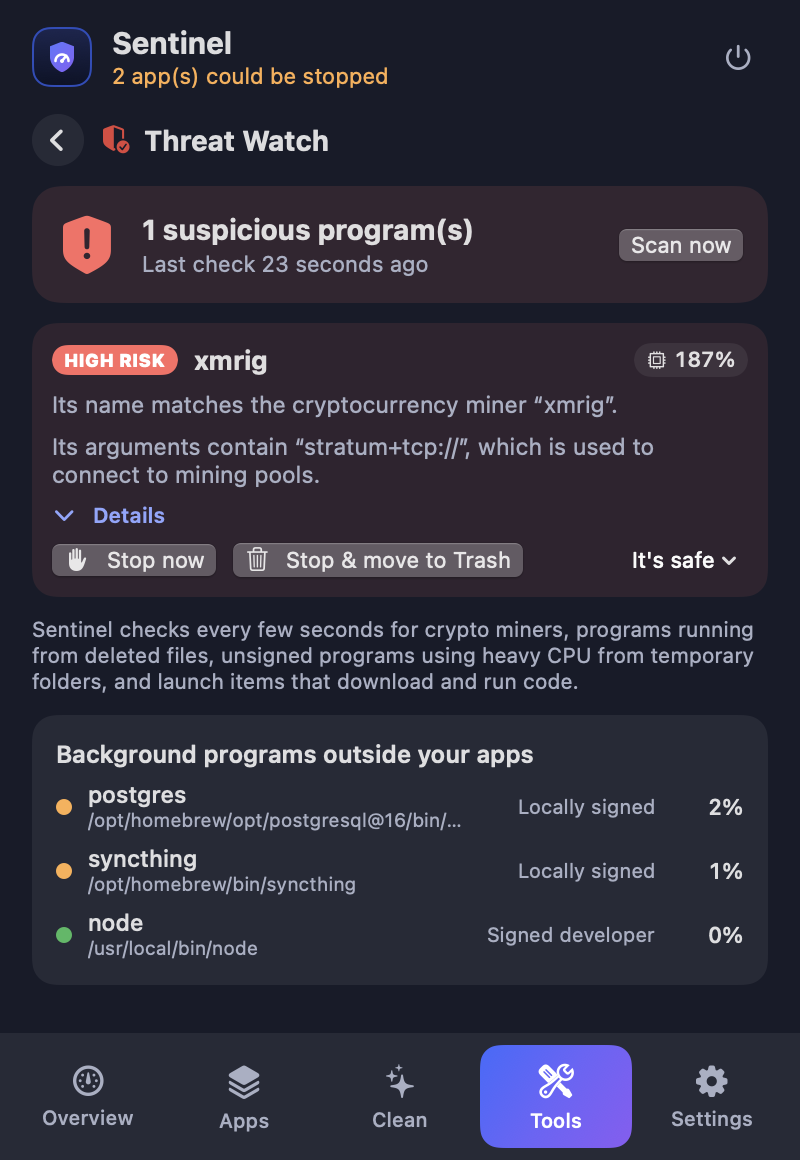
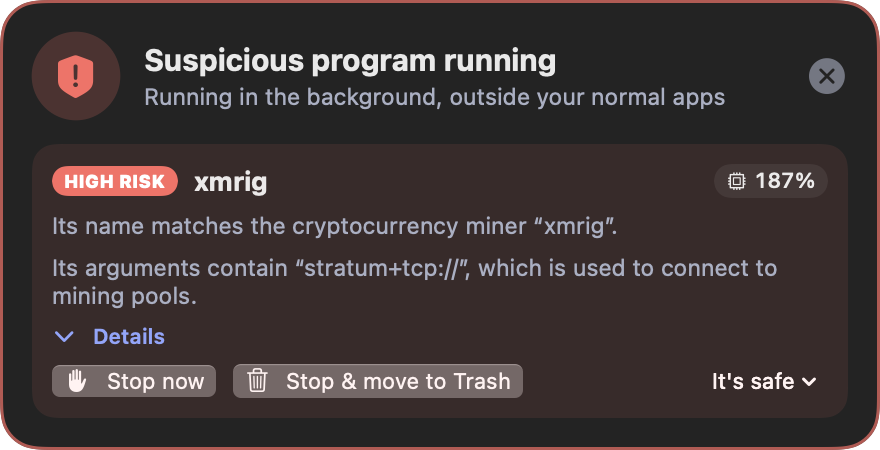
Threat Watch
Spots crypto miners and hidden background programs, and stops them in one click.
Maintenance
Restart Dock or Finder, fix "Open With", reset Quick Look, flush DNS.
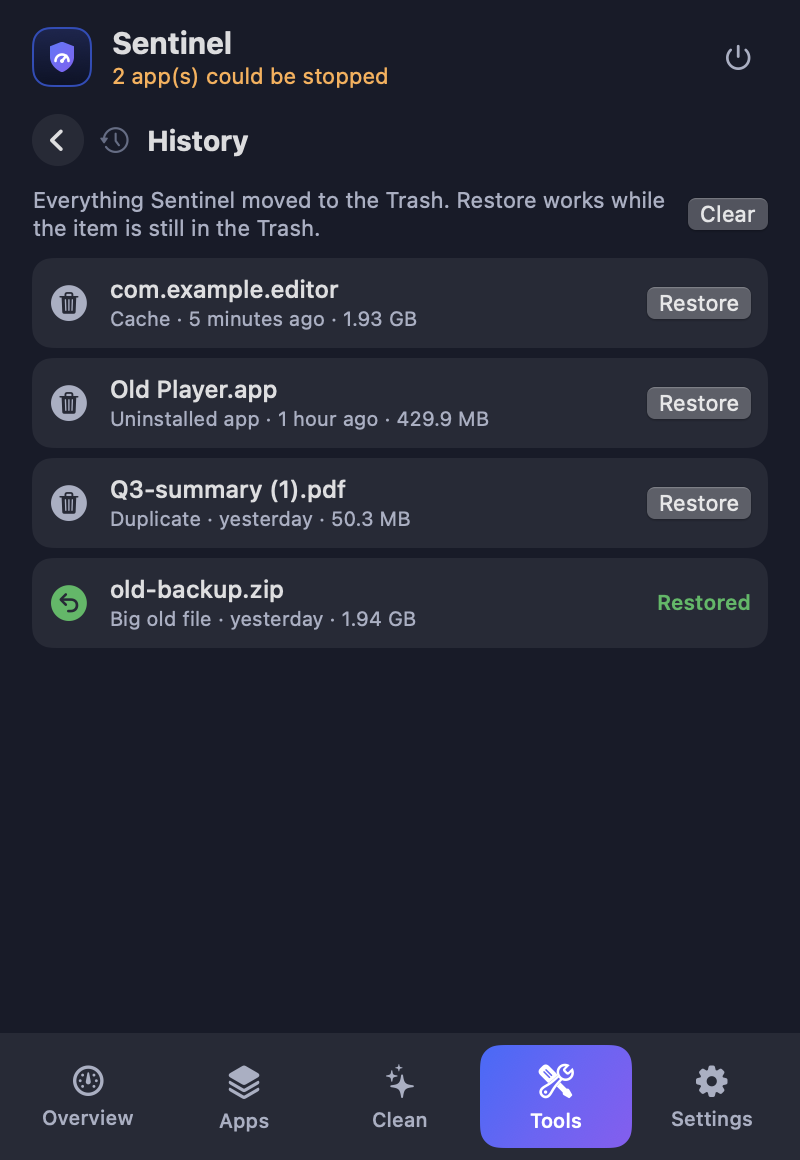
History & Restore
A log of everything cleaned, with one-click restore from the Trash.
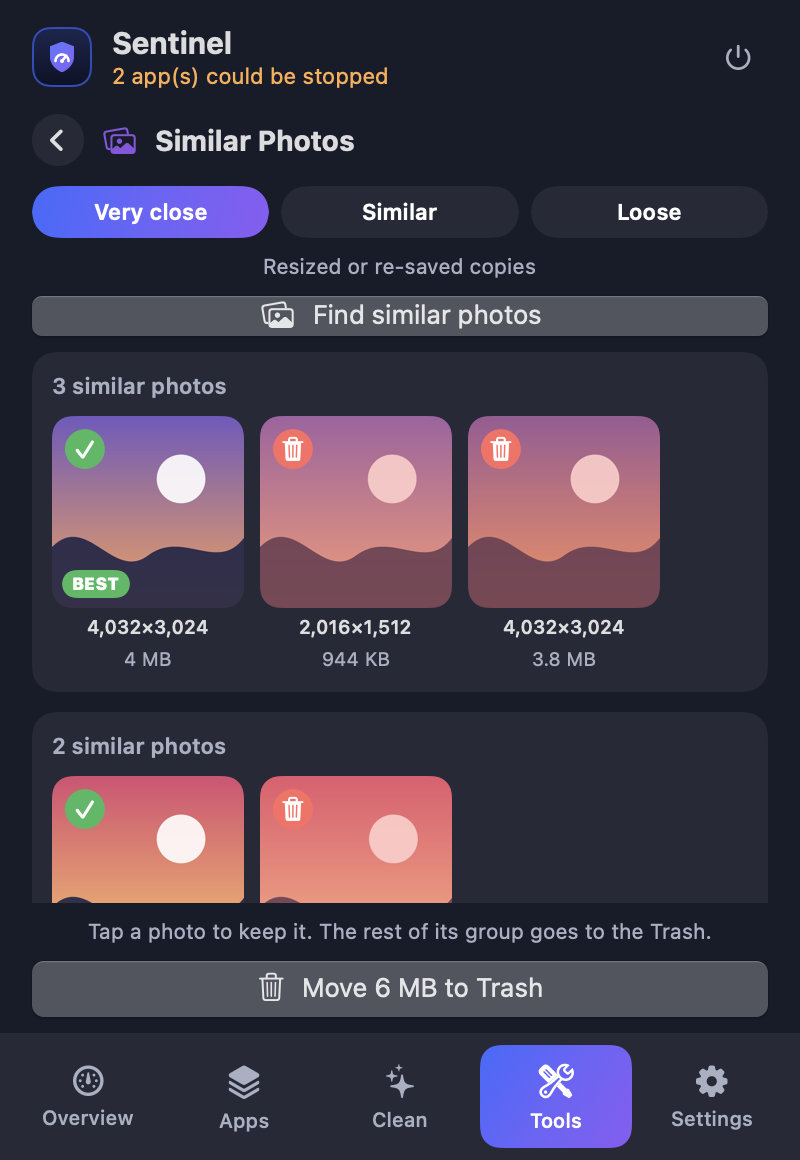
Similar photos
Finds near-identical pictures (resized, re-saved, edited), marks the sharpest as Best and lets you choose.
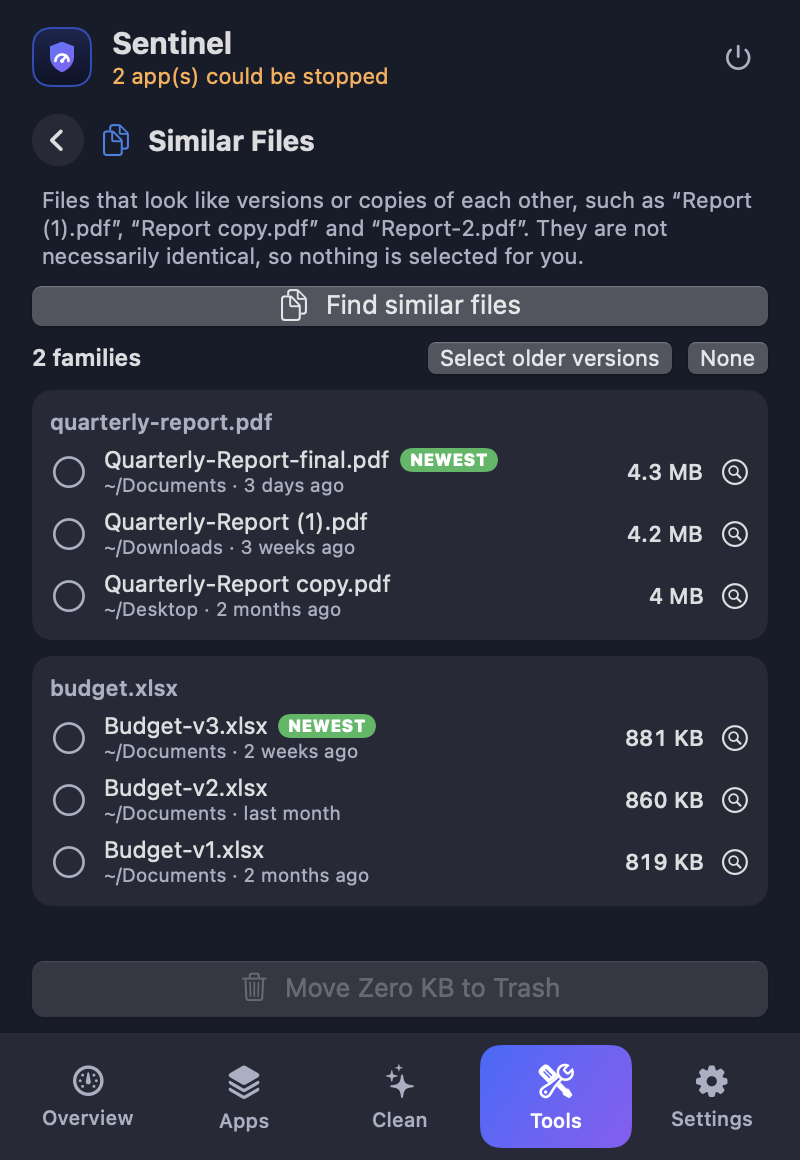
Similar files
Spots copies and old versions like "Report (1).pdf" or "Budget-v2.xlsx". You decide what goes.
Automatic updates
Checks GitHub Releases, verifies the download and installs the new version in seconds. Can be switched off.
Light & dark
Native look, smooth animations, light on memory and CPU.
See it in action
Screens shown with sample data. Scroll sideways for more.
Install
Two ways to get Sentinel. Downloading is the quickest; building from source lets you read every line first.
Option 1 · Download (no Xcode, no clone)
A 2.5 MB universal app for Apple Silicon and Intel, macOS 14 or newer.
- Double-click the zip, then drag Sentinel.app to Applications.
- First open only: macOS warns that it cannot check the app, because it is signed locally and not notarized. Right-click the app → Open → Open.
- Or remove the warning in Terminal:
xattr -dr com.apple.quarantine /Applications/Sentinel.app
Verify the download: SHA-256 checksum · all releases
Option 2 · Build from source
Needs macOS 14+ and Xcode 15+ (or the Swift toolchain).
git clone https://github.com/alfayedoficial/sentinel-mac.git
cd sentinel-mac
./build.sh
open ~/Applications/Sentinel.appNo git? Download the source as a zip, unzip it, and run ./build.sh inside the folder.
Updates: from version 1.1.0 Sentinel updates itself from GitHub Releases (verified checksum and signature, one click, can be switched off in Settings). Running 1.0.0? Download 1.1.0 once; it cannot update itself.
After opening: a small icon with your memory percentage appears in the menu bar. For the smoothest experience, open System Settings → Login Items & Extensions and switch on Sentinel (so it can switch off system launch items without asking for your password each time), and tick Open Sentinel at login in its Settings tab.
Privacy and safety
Nothing leaves your Mac
No accounts, analytics or telemetry. The only network request is an optional update check against GitHub Releases, which you can switch off.
Review, then confirm
Every clean-up shows a list first. Items go to the Trash and can be restored from History.
A tiny, locked-down helper
The optional root helper can only switch off third-party launch items in two folders. It refuses Apple items and path tricks, and it never deletes.
Open source
MIT licensed. Read every line, change it, share it.
Contribute
Fix a typo, add a tool, write a detection rule or translate the app. There is a step-by-step guide, tests, and issues labelled good first issue.
| I want to… | Start here |
|---|---|
| Build and run the project | Development guide |
| Understand how it works | Architecture |
| Add a feature or a rule | Contributing and the roadmap |
| Change the look | Design system |
| Report a bug or a false alarm | Open an issue |